Cloud Keeps Finding Me
One of the technologies I keep coming back to is cloud. Whether it's simple storage or a carefully architected multi-instance deployment, cloud infrastructure has been a constant in how I'm sharpening my skills.
Back in 2022 I earned my first AWS certification. Since then I've had some element of cloud in almost everything I've worked on. For a while that looked like dropping static files into S3, pointing a domain at them through Route 53, and calling it a day. Clean and useful, but not exactly stress-testing my understanding of what's actually happening underneath.
The past few months have been different. I've been deep in DevOps; spinning up VMs with Vagrant, working through Jenkins and Ansible, getting hands-on with Docker and Kubernetes. And through all of that, my understanding of what each cloud service actually does has gone from "I know what this is for" to "I know when to use this and why."
There's a real gap between passing an exam and making a decision under pressure. The certification tells you what the services are. Deploying a real application tells you how they fit together, and more importantly, what breaks when you get the fit wrong.
This post is about one of those deployments.
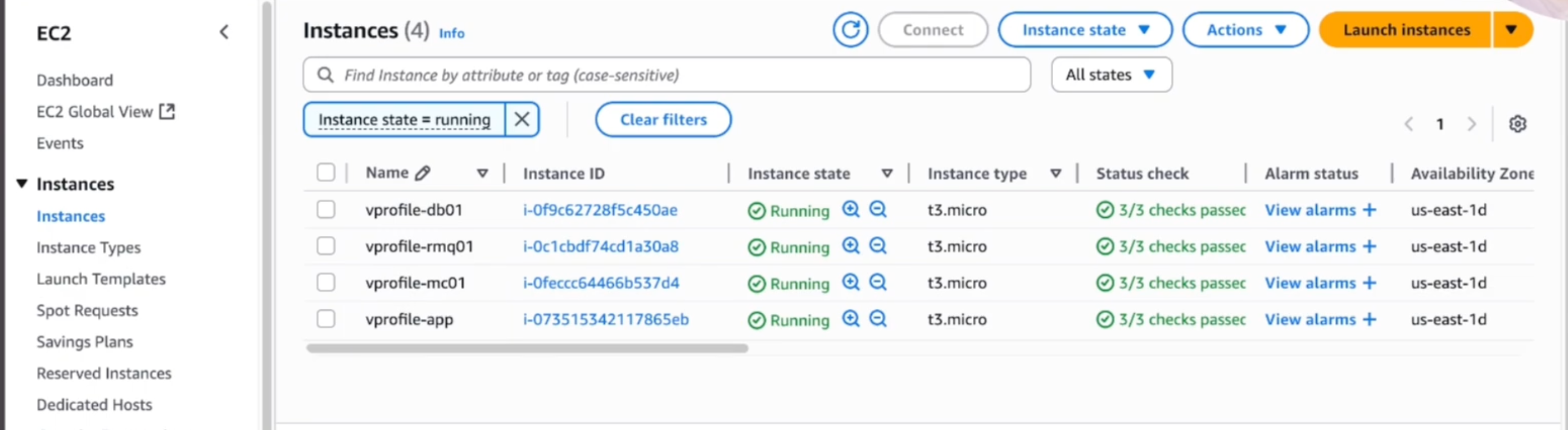
In a recent video I did a demo where I spun up 4 EC2 Instances, an s3 bucket and used it to deploy a fullstack Java application. The EC2 instances were all identical virtural machines running Linux.
What I Built
I spun up 4 EC2 instances on AWS and used them to deploy a full-stack Java web application. Each instance runs Linux and hosts one service in the stack:
| Instance | Service | Role |
|---|---|---|
| EC2 #1 | Apache Tomcat | Application server: serves the Java web app |
| EC2 #2 | MariaDb | Relational database: stores user data and application records |
| EC2 #3 | Memcache | Caching layer: stores frequently accessed data in memory |
| EC2 #4 | Rabbit MQ | Message broker: handles asynchronous messaging and logging |
This isn't a toy stack. Tomcat, MariaDB, Memcached, and RabbitMQ are the same components you'd find powering production Java applications at real companies. Deploying them across separate instances mirrors how they'd actually be separated in a production environment; each service in its own isolated unit, communicating over the network rather than sharing a single machine.
How the Deployment Actually Worked
The Java application was compiled locally using Maven, which packages everything into a WAR file. Basically, it's a compressed archive containing the compiled application code, all its dependencies, and the configuration files Tomcat needs to run it.
From there, I used the AWS CLI to push that WAR file directly to an S3 bucket from the terminal. No clicking through the console UI, no manual upload. One command, one place it lives, one source of truth for the build artifact.
aws s3 cp target/myapp.war s3://my-bucket-name/myapp.war
Tomcat then pulls from that S3 location to serve the application. S3 as an artifact store is a clean pattern; the file is versioned, accessible from anywhere in your AWS environment, and durable in a way that a local directory on one EC2 instance is not.
Security: Key Pairs and Security Groups
Before any of these instances do anything useful, they need to be locked down.
EC2 instances are secured with key pairs. AWS generates a public/private key combination, you download the private key once (and only once), and that key is what authenticates your SSH connections to the instance. There's no username/password in the traditional sense. You either have the key file or you don't get in.
ssh -i my-key.pem ec2-user@<public-ip>
Beyond key pair authentication, each service runs inside its own security group. Essentially, it's a firewall that defines exactly which ports accept traffic and from where. The database instance, for example, has no business accepting connections from the public internet. Its security group only allows traffic from the application server's security group. Memcached is the same story, cache traffic from the app server only, nothing from outside.
This kind of network segmentation is the difference between a real deployment and a demo that would be a security incident in production.
Route 53: Giving the Private IPs Names That Make Sense
Four EC2 instances means four private IP addresses. Referencing those IPs directly in application config files is a maintenance nightmare. The moment any instance gets replaced (and they will get replaced), every config file that references the old IP needs to be updated manually.
Route 53 fixes this. I created DNS records mapping human-readable domain names to each instance's private IP address. The Tomcat server, the database, the cache, the message broker; each one gets a name instead of a number.
db.internal → 10.0.1.45 (MariaDB)
cache.internal → 10.0.1.46 (Memcached)
queue.internal → 10.0.1.47 (RabbitMQ)
app.internal → 10.0.1.48 (Tomcat)
When an instance gets recycled, I update one DNS record. Every service that's configured to talk to db.internal just keeps working. This is standard practice in any environment that's meant to stay running.
Auto Scaling and Load Balancing: Building for Failure
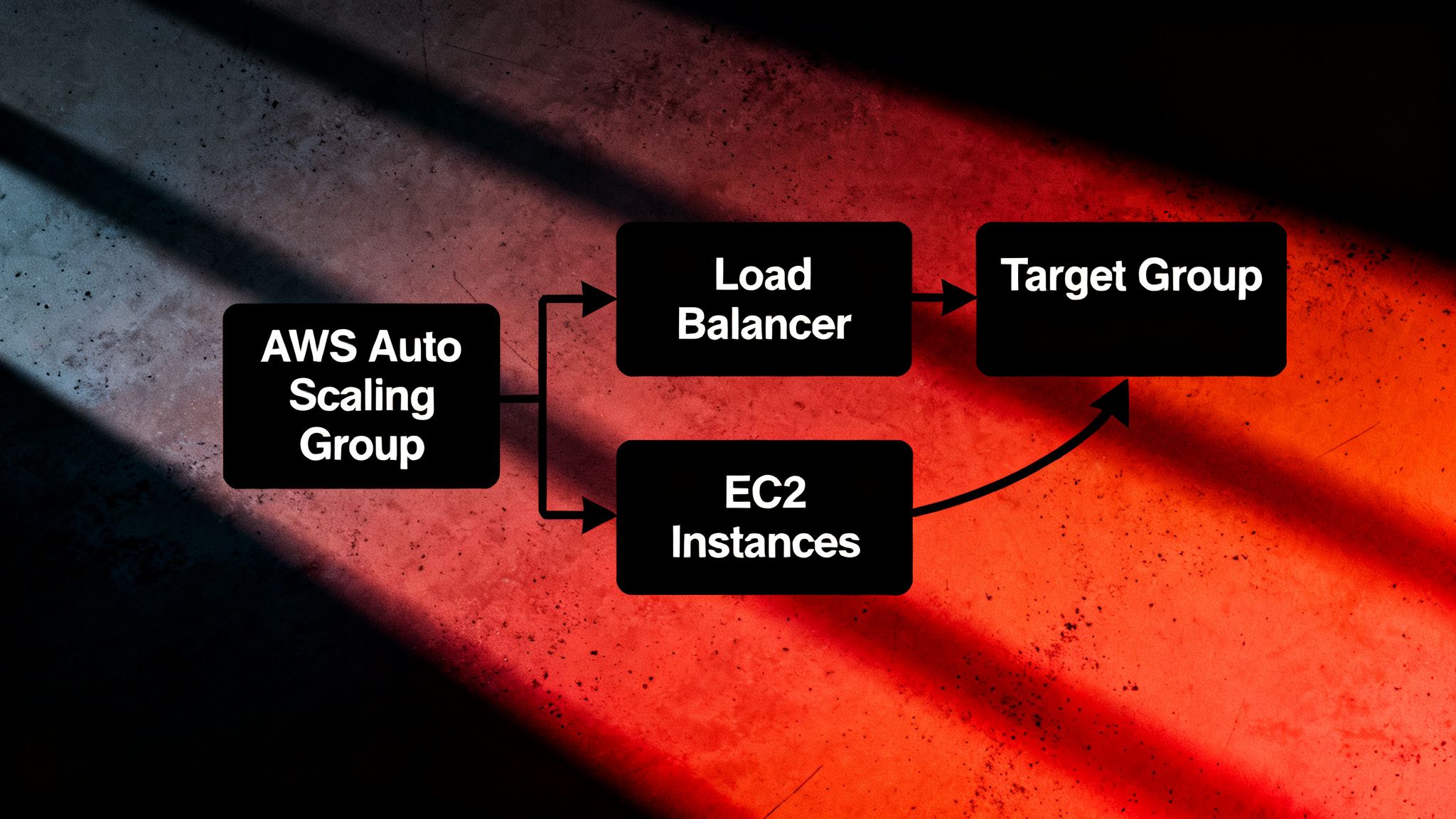
The most important thing I configured wasn't the application itself. It was the infrastructure that keeps it running when things go wrong, and things always go wrong.
Auto Scaling monitors the health of each EC2 instance. If an instance fails for any reason: hardware issue, software crash, network problem, a rogue process eating all the memory — the Auto Scaling group detects that the instance is down and spins up a replacement automatically. No manual intervention, no waiting for someone to notice an alert at 2am.
I actually had a fifth EC2 instance running that I ended up terminating because it was interfering with the auto-scaling behavior. That's a real example of the kind of thing you only learn by building it. It becomes a configuration detail that looks fine on paper until you watch the auto-scaler try to maintain a target that doesn't make sense given what the extra instance was doing.
Load Balancing distributes incoming traffic across the available instances based on capacity and health. If traffic spikes, more users hitting the application simultaneously than a single instance can handle comfortably, the load balancer routes requests across multiple instances and the auto-scaler adds more if needed. When traffic drops back down, instances scale back in to avoid running capacity you're not using.
The result is an application that handles variable traffic without manual intervention and recovers from failures without anyone having to notice first.
The Application in Action: Cache vs. Database
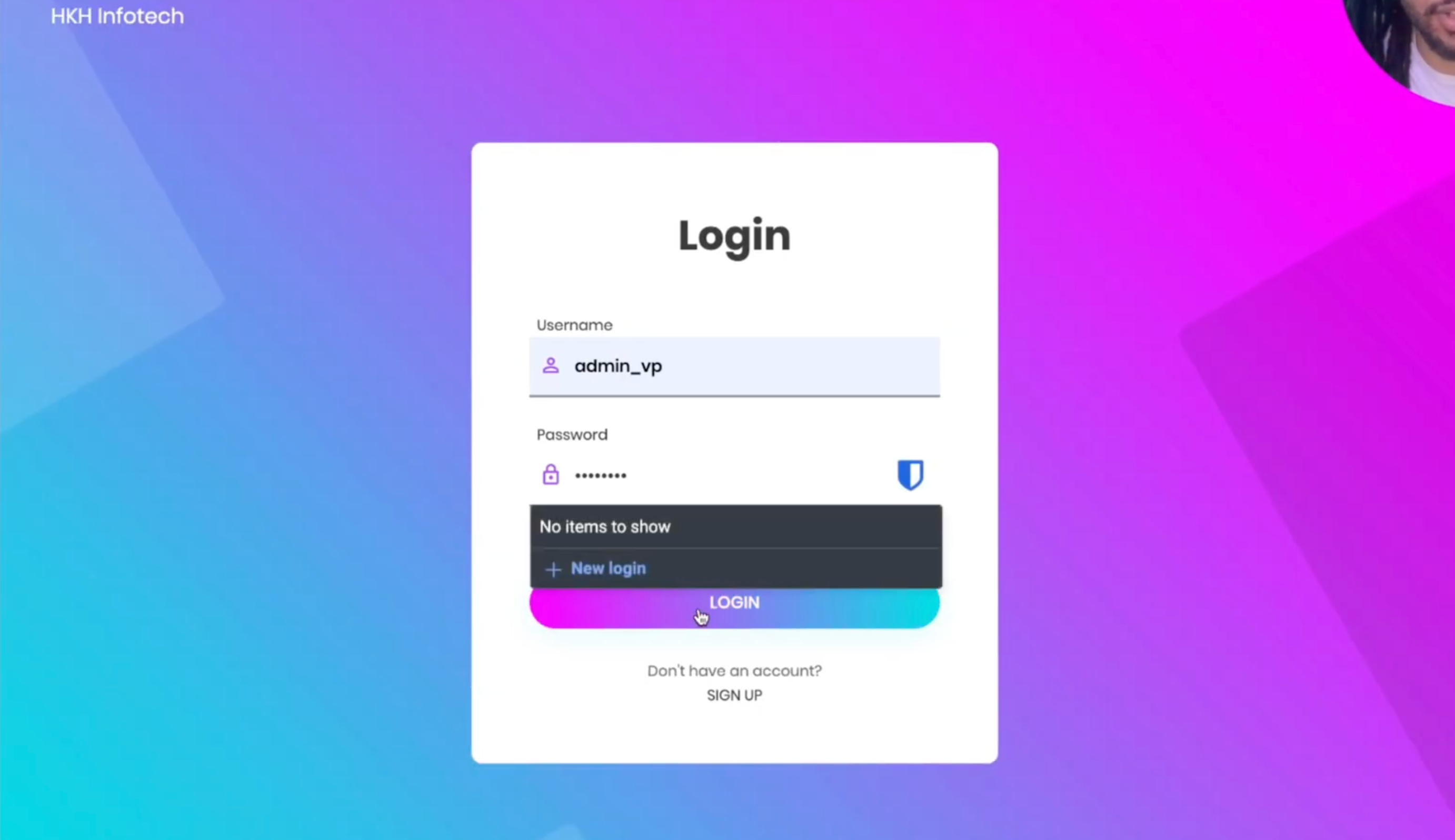
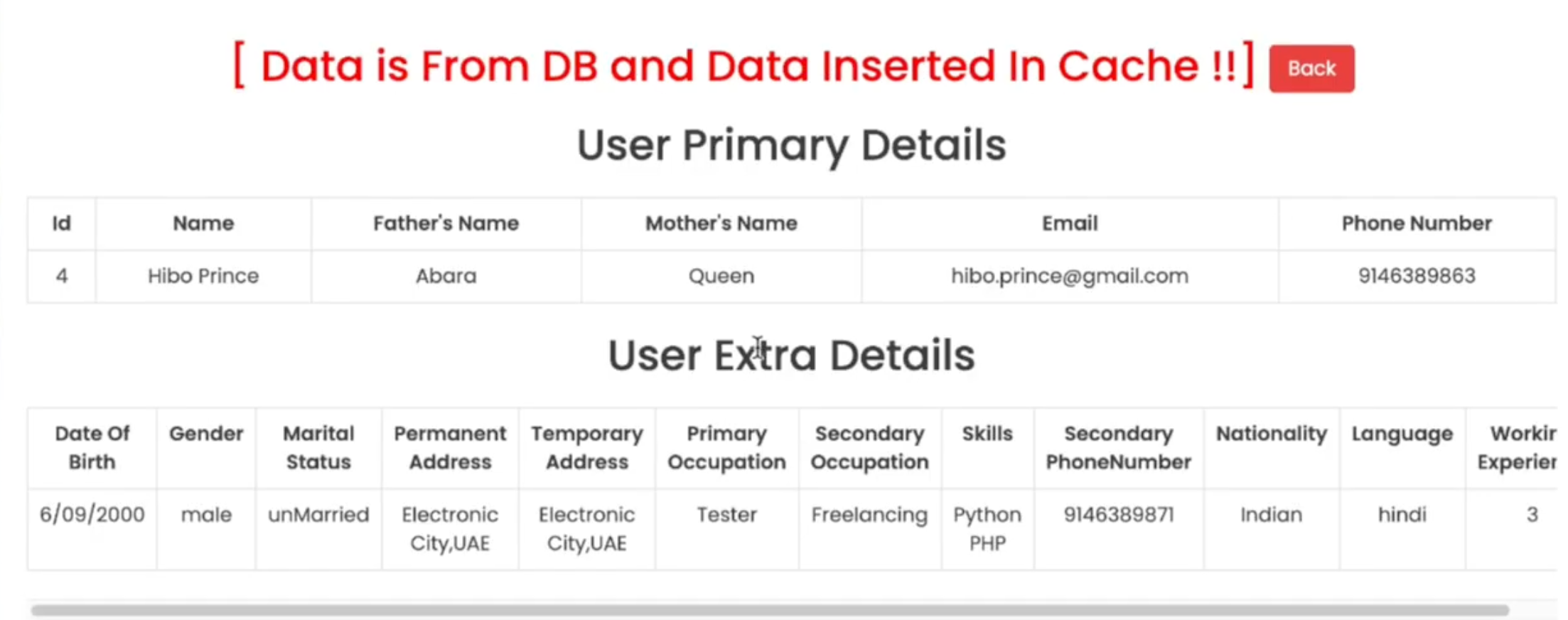
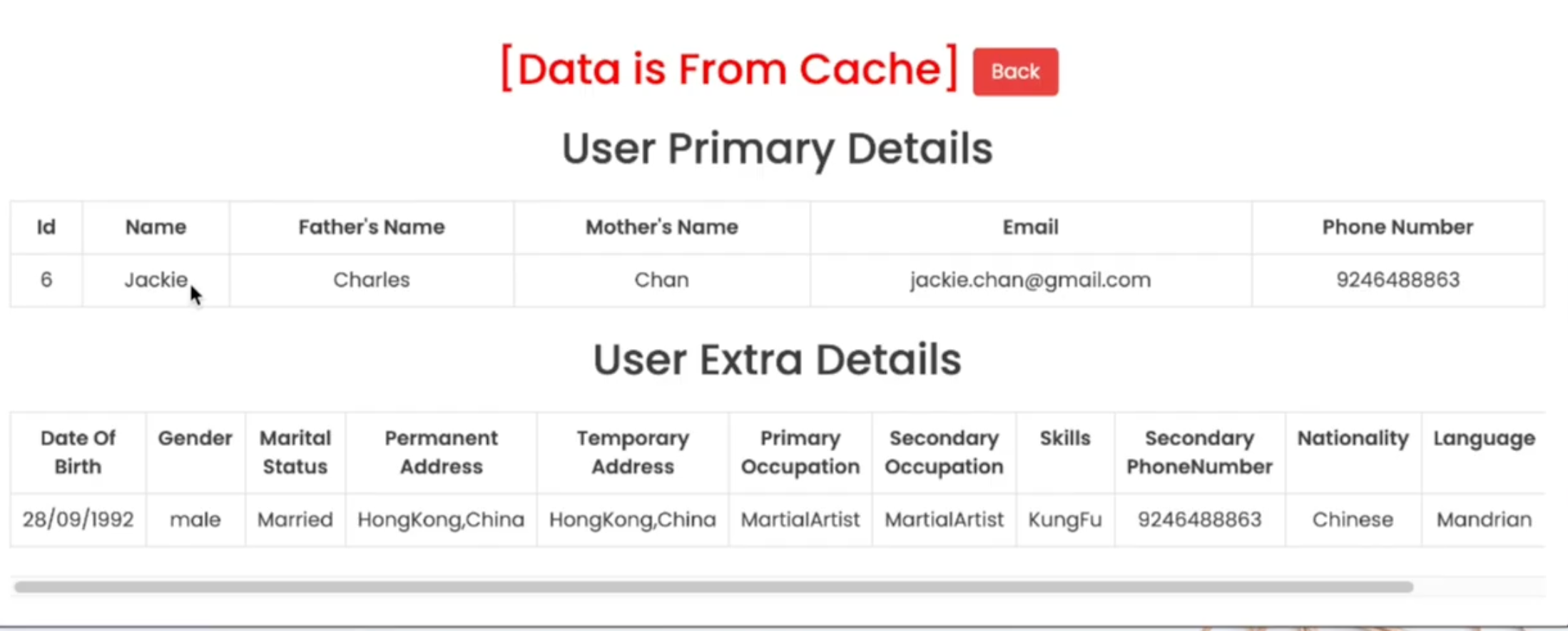
The deployed application is a Java web app with login functionality and a user directory. The architecture demonstrates something practical: how caching reduces database load in a real application.
Here's how it works:
When you request a user profile for the first time, the application queries MariaDB directly. The response comes back with a label confirming it: data is from DB. At the same time, the application stores that result in Memcached.
The next time anyone requests the same profile, the application checks the cache first. If the data is there, Memcached returns it without touching the database at all: data is from cache.
This matters at scale. A database query involves disk I/O, query parsing, and network round trips. A cache hit is a memory lookup, orders of magnitude faster. For data that doesn't change frequently, caching is one of the highest-impact performance improvements you can make without changing the application code.
RabbitMQ sits alongside all of this handling asynchronous tasks, operations that don't need to block the user's request but need to happen reliably in the background. Message logging, notifications, event processing. The kind of work that would add latency to every user interaction if it happened synchronously.
What This Actually Proves
A deployment like this is doing several things simultaneously that are easy to miss if you're focused on the end result.
It proves the build process works: Maven compiles the application, the WAR file lands in S3, Tomcat pulls it correctly, the app starts up and accepts traffic. Any break in that chain and nothing works.
It proves the network configuration is correct: the Tomcat server can reach the database, the database security group only accepts connections from the right source, Route 53 is resolving the internal domain names, the load balancer is routing to healthy instances. Lots of places for this to fail silently.
It proves the resilience layer functions: the auto-scaler detects instance health, replaces failures without intervention, and the load balancer adjusts routing as instances come in and out of service.
And it proves the caching logic is wired up: the application actually checks Memcached before hitting the database, stores results correctly, and serves cached data on subsequent requests. That's not just a configuration, the application code has to implement that flow correctly.
Getting all of those things working together is the practical proof of concept that no certification exam can replicate.
What's Next
This is one stop on a longer DevOps journey. The same week I was running this deployment, I was also working through Docker and Kubernetes on AWS, the next layer of complexity on top of the individual EC2 instance model. Jenkins and Ansible were running in the background of the same terminal session you can see in the video.
The direction is toward a complete CI/CD picture: infrastructure that's automated end to end, from code commit to running deployment, with testing, monitoring, and automatic recovery at every step. The AWS architecture in this post is the foundation. The pipeline work is what makes it continuous.
I'll keep sharing what I'm building as it comes together.