I Stopped Editing My Resume. Now a YAML File Tailors It for Every Job.
I apply to five kinds of jobs: DevOps, software, martech, systems, and embedded. For a while that meant five Word files.
Five files is a losing game. Fix a typo in one and the other four still have it. Add a project to the DevOps version and the software version never hears about it. Sooner or later you have five resumes that disagree about your own life.
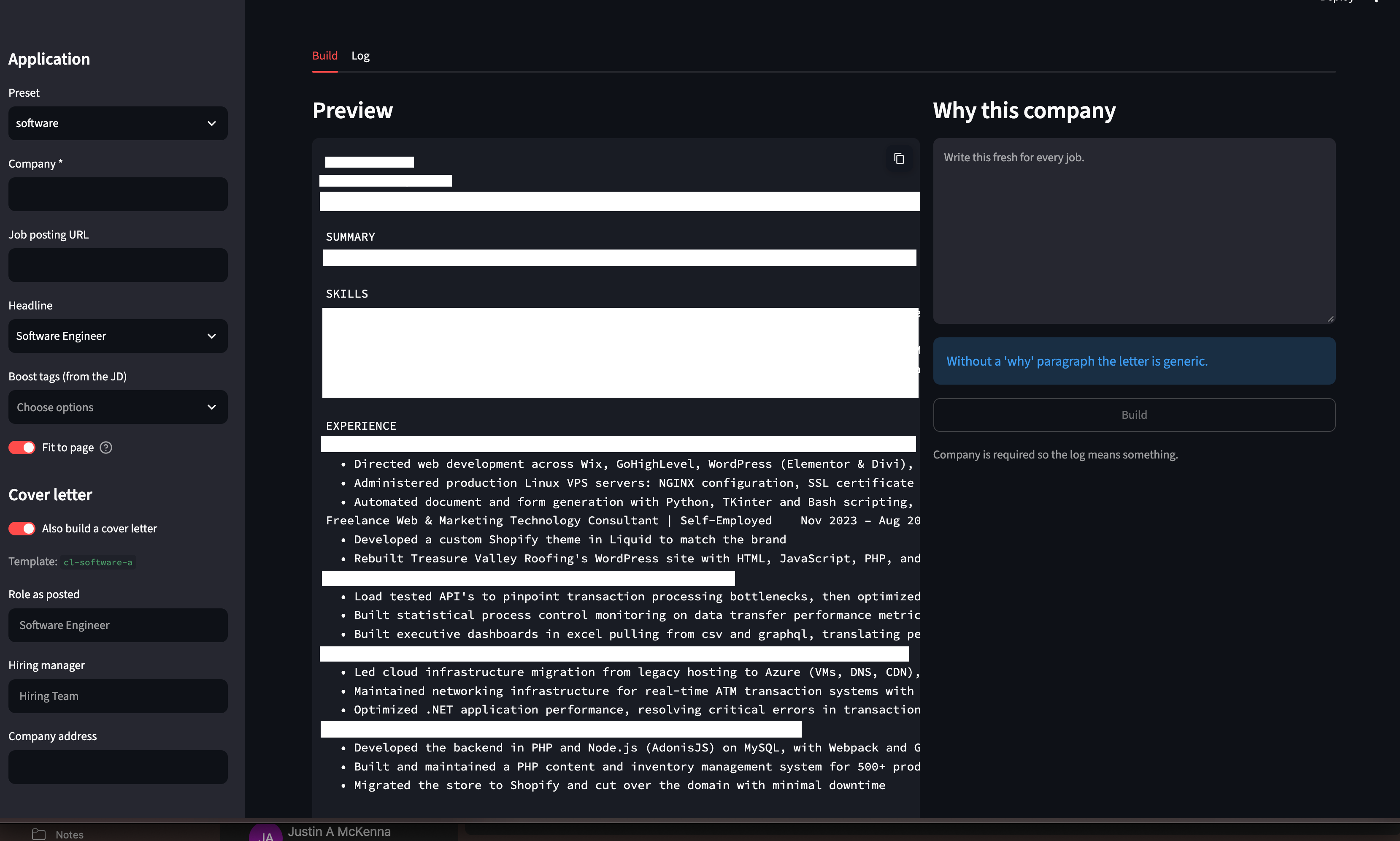
So I built Fitted. One YAML file holds everything I've done. One command builds a resume tailored to a specific job, plus a cover letter if I want one, as both DOCX and PDF. It checks that an applicant tracking system can actually read it, trims it to fit the page, and logs where it went.
The problem isn't writing. It's maintaining.
Most resume advice is about wording. The real time sink is version control.
- Every posting wants different keywords. Tailoring by hand means editing a document per application.
- Applicant tracking systems fail quietly. Tables, columns, text boxes, and headers can scramble your contact info or hide whole sections. You never find out. You just never hear back.
- Cover letters drift. Write them separately and it's easy to claim something the attached resume doesn't show.
- Nobody remembers what they sent. When a recruiter calls three weeks later, which version do they have?
How Fitted works
1. Write everything once. Every role, project, bullet, and skill goes in master.yaml. Each bullet gets an id, the tracks it supports, keyword tags, and a priority:
- id: carrier-cache
  tracks: [devops, systems]
  tags: [redis, caching]
  priority: { devops: 1, systems: 2 }
  text: "Added a Redis cache in front of the pricing API, cutting p95 latency 40%"
Priority 1 means always show. 2 means show if there's room. 3 is filler, first to go. And it can differ per track, because a bullet that's essential for DevOps might be filler for martech.
2. Validate before anything renders. A typo'd track, a duplicate id, a skill pointing at a bullet that doesn't exist: the build stops and names the exact problem.
3. Pick a preset and boost the posting's keywords.
python build.py --preset devops --company "Acme" --boost terraform,aws --coverThe preset picks the roles and projects. --boost floats bullets tagged terraform or aws to the top of each section.
4. Render, convert, count, trim. Fitted fills a Word template, converts it to PDF with headless LibreOffice, and counts the pages. If it's over the target, it drops the least valuable bullet and tries again. It never drops a priority 1 bullet. If it can't fit without cutting your best proof, it ships slightly long and tells you, instead of quietly hiding your strongest work.
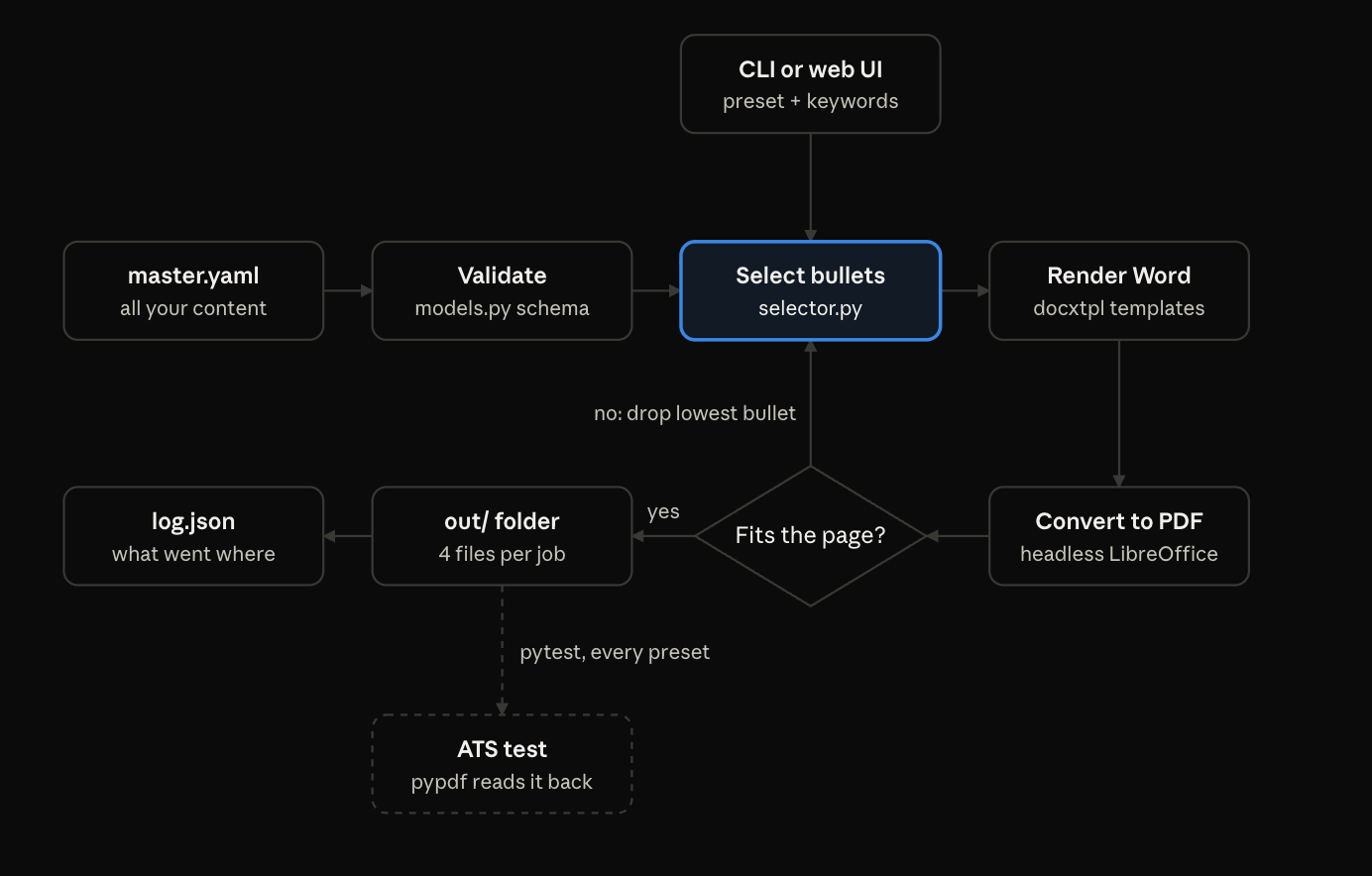
5. Write a cover letter that can't lie. Each proof paragraph in a cover letter lists the bullet ids that back it up. A paragraph only appears if at least one of those bullets made it onto this resume. If the fit loop cut the bullet, the claim goes with it.
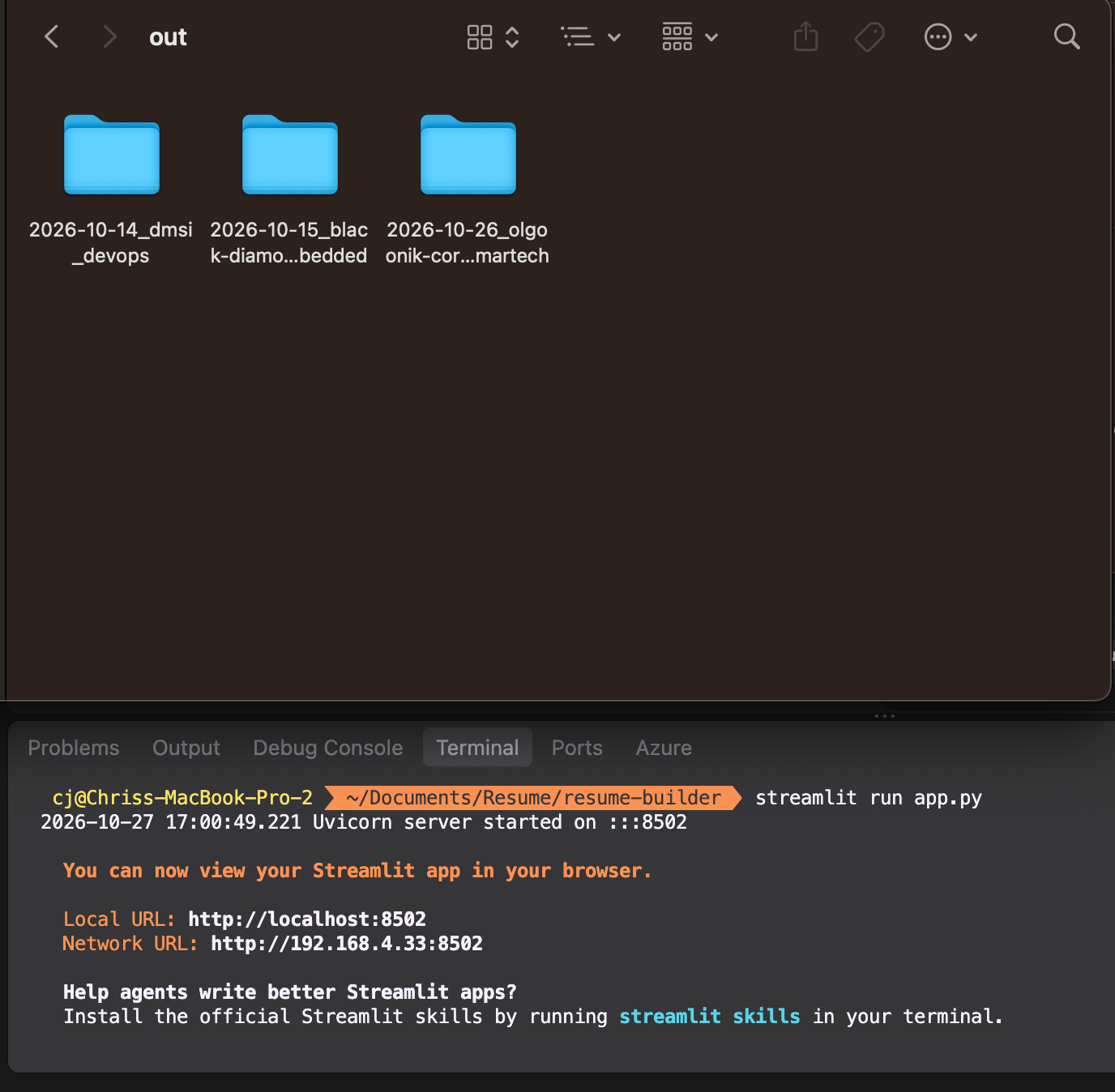
6. Ship it and log it. You get out/<date>_<company>_<preset>/ with the resume and cover letter as DOCX and PDF, recruiter-friendly filenames, and an entry in log.json. Prefer clicking to typing? streamlit run app.py gives you the same pipeline in a browser, with a live preview.
Testing it like an ATS would

The part I'm proudest of is the test suite. tests/test_ats.py reads every generated PDF back the way a cheap applicant tracking system would and checks:
- Contact info is at the top and extractable
- Sections come out in order
- Every bullet and skill is readable as text
- Job titles and company names don't fuse into one word
- No tables, text boxes, images, columns, or header and footer content
- The resume is 2 pages or fewer
The cover letter test checks it's one page, has no unrendered template tags, and that every proof paragraph is backed by a bullet on the matching resume. The whole suite builds every preset and runs in about 90 seconds.
The bugs that taught me something
My resumes were secretly written in a different font. Headless LibreOffice can't see the fonts installed on a Mac. So it quietly swapped in a fallback font, which made resumes run a page longer and sometimes turned letters into garbage like \x03. The fix: Fitted ships its fonts in a fonts/ folder and copies them into LibreOffice's profile on every build. Anything built before that fix got rebuilt.
Word breaks its own templates. The templates use tags like {{ headline }}. If Word decides to split a tag across two formatting runs (which it does whenever it feels like it), the tag stops rendering. Rendering runs in strict mode, so a broken tag crashes the build loudly instead of shipping a resume with a blank where your title should be.
Naming a file select.py breaks LibreOffice. It shadows Python's built in select module. The file is called selector.py, and there's a line in the README telling future me not to "clean that up."
Where it fits with Doomscroll
Fitted is the second half of a pipeline. Doomscroll, my serverless job tracker on AWS, finds new postings every morning and filters out the ones that don't fit. Fitted takes a posting from that list and builds the application.
One finds the shot. The other takes it.
Right now they keep separate records: Doomscroll in DynamoDB, Fitted in log.json. Connecting them, so building an application in Fitted automatically marks the job ShotMyShot in Doomscroll, is the obvious next step.
Steal the pattern
You don't need my resume tool to use the idea. Keep your facts in one structured file, and let code decide what each audience sees. It works for resumes, consulting proposals, speaker bios, grant applications, or any document you keep rewriting for different readers.
The code is on GitHub: https://github.com/nortoncj/fitted. Start from example.yaml, a fully commented file for a fictional engineer, and you'll have your own first build in a few minutes.