The Docker Desktop Tax Nobody Talks About
You know that moment in Attack on Titan when you realize the enemy was inside the walls the whole time? That's Docker Desktop on your machine.
You didn't install it to watch your fans spin. You didn't install it to explain to your finance team why you're paying $21/month per developer for a wrapper around a free open-source tool. And you definitely didn't install it to debug EBADPLATFORM errors at 11pm because the emulation layer decided ARM64 and x86_64 are interchangeable.
Here's what Docker Desktop actually is: a GUI wrapper around Docker Engine (which is free and open-source) bundled with a Linux VM, a Kubernetes install nobody asked for, and a licensing model that charges companies with 250+ employees or $10M+ in revenue for the privilege of running that VM.
The container runtime? Free. The wrapper around it? That's where the bill comes from.
And the resource cost is real. Developers regularly report Docker Desktop consuming 4–6GB of RAM to run a single PostgreSQL container. On Apple Silicon, it defaults to x86 emulation, which means native-binary packages like LightningCSS, esbuild, and Sharp crash mid-build because they're being fed the wrong architecture.
The good news: Docker Desktop is optional. The container technology underneath it is open-source and yours for free. You just need to know which tool to replace it with.
The Three Contenders
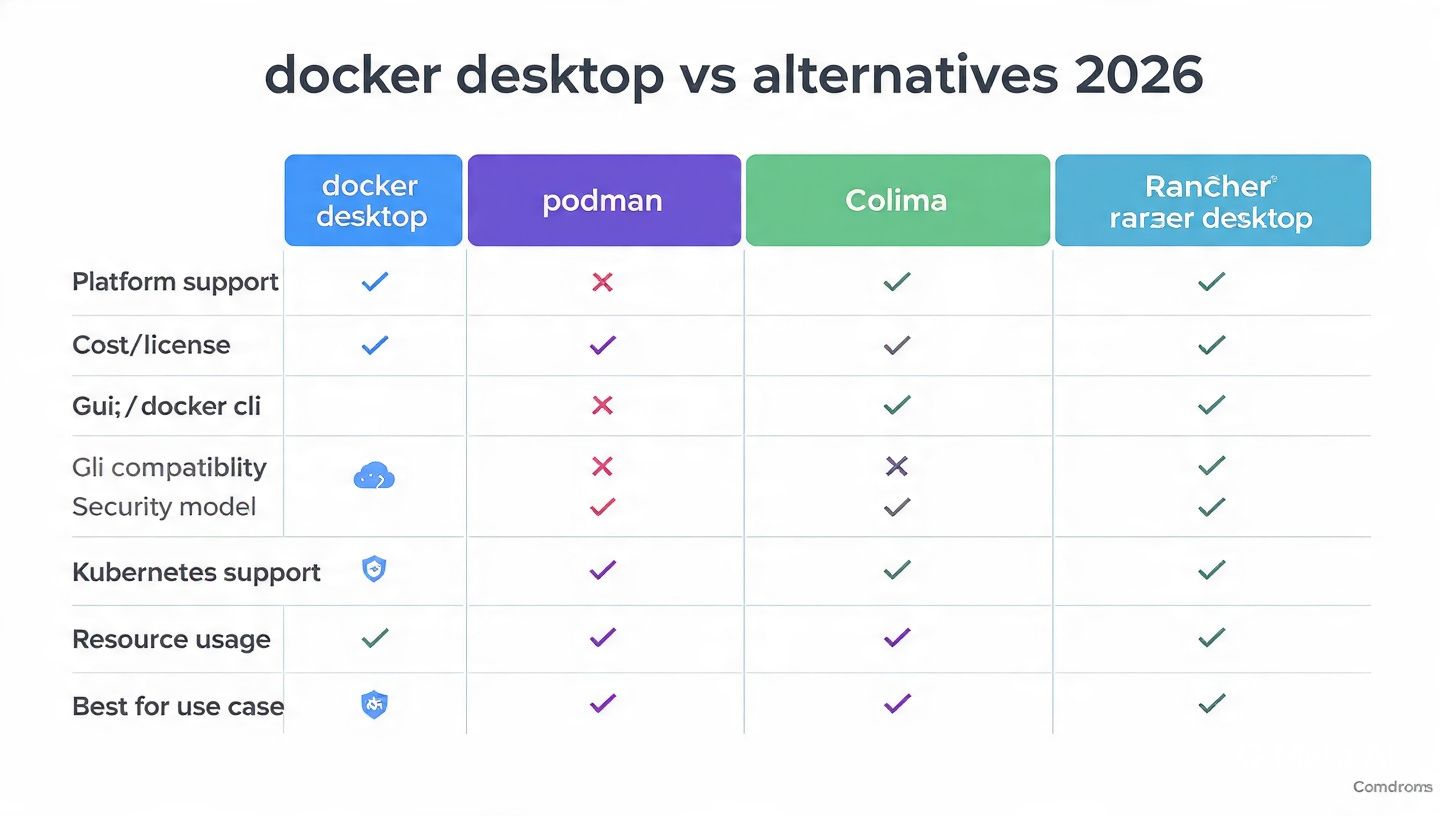
Here's the quick breakdown before we go deep:
| Tool | Best For | GUI | Kubernetes | Cost | Platform |
|---|---|---|---|---|---|
| Podman | Security, Linux-native, compliance | Optional (Podman Desktop) | No(native) | Free (Apache 2.0) | All |
| Colima | Terminal-first, minimal resource usage, Mac/Linux | None | Optional | Free (MIT) | macOS / Linux |
| Rancher | Kubernetes dev, cross-platform teams, enterprise | Yes | Yes (k3s) | Free (Apache 2.0) | All |
Let's break them down.
Podman: The Security-Obsessed Glow-Up Docker Never Got
What It Is
Podman (Pod Manager) is Red Hat's answer to Docker, and it's been battle-tested in enterprise Linux environments for years. The pitch is simple: everything Docker does, but without the daemon, without root, and without the licensing drama.
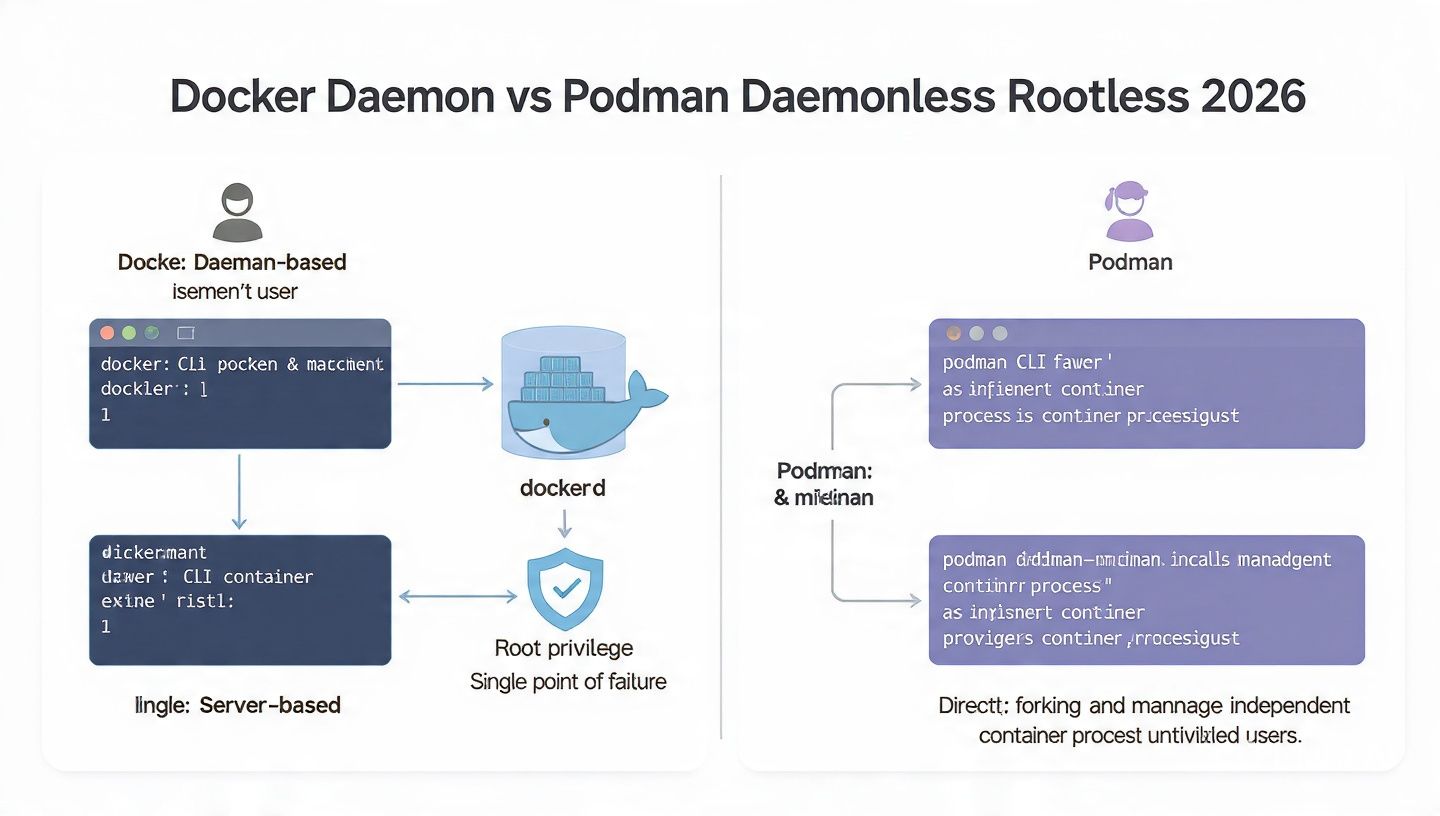
It's daemonless - no always-on background service draining resources when you're not running containers. No single point of failure. No privileged root process managing everything.
And the CLI? Identical to Docker's:
# Everything you memorized still works
podman run -d -p 8080:80 nginx
podman ps
podman logs -f my-container
podman compose up --build
You can literally alias docker=podman and never think about it again. Most projects won't notice the difference.
The Rootless Container Thing (This Matters More Than You Think)
Docker runs containers as root by default. That means a container escape vulnerability gives an attacker root access on your host. Podman runs rootless by default - containers run as your user, not as root. This is why security-focused teams and compliance-heavy orgs (finance, healthcare, government) are increasingly mandating Podman over Docker.
No central daemon and no root permissions means fewer resource-intensive background processes and a significantly reduced attack surface for organizations with stringent security requirements.
Getting Started
# macOS
brew install podman
podman machine init
podman machine start
# Linux (even easier — no VM needed)
sudo apt-get install podman # Ubuntu/Debian
sudo dnf install podman # Fedora/RHEL
On Linux, Podman runs natively without a VM. On macOS and Windows, it spins up a lightweight Linux VM using the Apple Virtualization Framework - hardware-accelerated, not emulated - which is exactly why it doesn't have Docker Desktop's architecture chaos.
Podman Desktop: When You Want a GUI
If you miss the Docker Desktop UI, brew install podman-desktop gets you a clean container management interface with logs, shell access, image browsing, and volume management. It's what Docker Desktop should've been.
The Honest Gotchas
Podman Compose has two flavors - podman-compose (the pip install) and the newer built-in podman compose. The built-in version handles 95% of projects, but if you're running complex multi-service stacks with custom networking, test before you commit.
While Podman is advertised as a 1:1 replacement for Docker, there are edge cases around Docker-specific functions in images that can cause compatibility problems when migrating existing setups. It's not dealbreaker territory, but don't assume zero migration friction on complex projects.
Windows support also exists but isn't as polished as the Linux or macOS experience. If you're primarily on Windows, Rancher Desktop is a smoother ride.
Choose Podman If...
- You're on Linux (it's native, fast, and arguably the best container experience available)
- Security and compliance aren't optional for your org
- You want 100% open-source with no licensing strings
- You're building in RHEL/CentOS/Fedora environments already
Colima: Zero Fluff, Maximum Speed, Terminal Devs Only
What It Is
Colima (Container on Lima) does exactly one thing: it runs a Lima VM with your container runtime of choice on macOS and Linux. No GUI. No bundled extras. No opinions about your workflow.
On macOS, Colima typically uses about 400MB of RAM idle - compare that to Docker Desktop's 2GB+ baseline. That's not a typo. You're getting the same containers for literally 1/5th of the memory cost.
Getting Started
brew install colima
colima start
That's it. After colima start, the Docker socket is live and every docker command works exactly as before. Your docker-compose.yml files are untouched. Your existing Docker CLI workflows continue without modification.
# Start with custom resources
colima start --cpu 4 --memory 8 --disk 100
# Use Podman instead of Docker as the runtime
colima start --runtime podman
# Add Kubernetes
colima start --kubernetes
# Best setting for Apple Silicon performance
colima start --vm-type vz --arch aarch64
The --vm-type vz flag uses Apple's Virtualization Framework instead of QEMU - significantly faster on M-series chips, which is exactly the Apple Silicon pain point that makes Docker Desktop such a disaster.
Real Usage Looks Like This
colima start
docker run -d \
--name dev-postgres \
-e POSTGRES_PASSWORD=devpass \
-p 5432:5432 \
-v pgdata:/var/lib/postgresql/data \
postgres:15
docker compose up --build
Zero mental overhead. You don't even need to think about Colima after you start it - it's just the Docker socket provider running quietly in the background.
The Honest Gotchas
Colima doesn't auto-start on login. You need to run colima start manually — or add it to your shell profile - and there's no graphical interface for managing containers or volumes. It's CLI-only by design. If you need to browse your containers visually, you'd pair it with something like Portainer or Lazydocker.
As a relatively young project, Colima may not yet offer all features available in more established container solutions, and users switching from Docker Desktop will need to install and configure the Docker CLI separately since it's not bundled.
Windows is also a no-go. Colima is macOS and Linux only.
Choose Colima If...
- You live in the terminal and the word "GUI" gives you anxiety
- You want the lowest possible resource footprint on your machine
- You need to easily switch between Docker and Podman runtimes
- You're on macOS and want something that just works without a setup wizard
Rancher Desktop: The Kubernetes-First Swiss Army Knife
What It Is
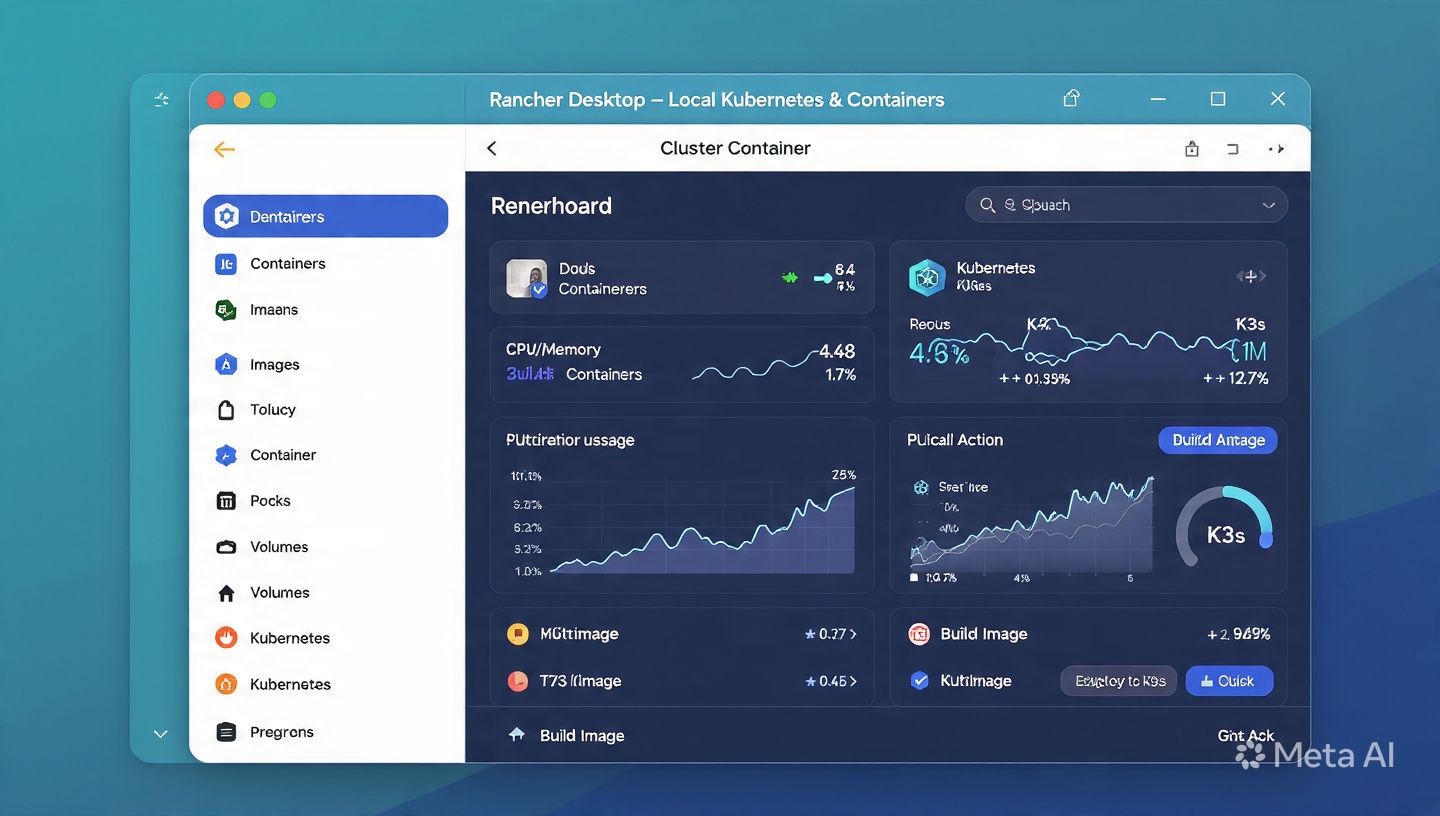
Rancher Desktop is SUSE's cross-platform container management tool - and unlike the other two, Kubernetes isn't an afterthought. It's the whole point. It ships with k3s (Lightweight Kubernetes) built in, an image vulnerability scanner, and a GUI that covers containers, images, volumes, and k8s cluster management in one place.
Rancher Desktop is built with Kubernetes as a first-class citizen and provides a Docker-compatible CLI alongside a convenient graphical interface, making it the most complete all-in-one solution for developers who need local Kubernetes that actually works.
This is the tool to reach for when you're building microservices and need local k8s that doesn't feel like you're trying to run a production cluster on a laptop.
Getting Started
# macOS
brew install rancher-desktop
# Windows
winget install rancher-desktop
# Linux — download from rancherdesktop.io
On first launch, you pick your container runtime:
- dockerd (Moby): Best Docker Compose compatibility. Use this if your project heavily relies on
docker-compose.ymlfiles - containerd + nerdctl: More Kubernetes-native, closer to what runs in production
# With dockerd runtime — standard Docker workflow
docker run -d -p 8080:80 nginx
docker compose up
# With containerd runtime — nerdctl is the CLI
nerdctl run -d -p 8080:80 nginx
nerdctl compose up
The Kubernetes Dev Workflow
This is where Rancher Desktop separates itself:
# Your local cluster is ready immediately
kubectl get nodes
# Deploy and expose an app
kubectl create deployment myapi --image=myapi:latest
kubectl expose deployment myapi --port=8000 --type=LoadBalancer
# Check it
kubectl get services myapi
No minikube. No kind. No separate k8s setup script. It's just there.
The Honest Gotchas
Rancher Desktop bundles quite a lot — if you don't need Kubernetes, you're carrying unnecessary weight. It's heavier than single-purpose tools like Colima, and on Windows the WSL2 file sharing between Windows and the Linux filesystem can be slow for large projects.
The nerdctl CLI is Docker-compatible but not identical. Volume handling and networking have differences that can surprise you. Recommend sticking with the dockerd runtime unless you have a specific reason to go containerd-first.
Also worth calling out: Rancher Desktop is genuinely overkill if you don't need container orchestration features or Kubernetes. If you're just running a dev database and a local API, this is bringing a bazooka to a knife fight.
Choose Rancher Desktop If...
- You're building microservices and need local Kubernetes daily
- Your team is cross-platform (Windows + Mac + Linux)
- You want image vulnerability scanning built in
- You're already in the SUSE/Rancher ecosystem
The Migration Path (How to Actually Ditch Docker Desktop)
Don't just uninstall Docker Desktop and hope for the best. Here's the actual path:
Step 1 - Audit What You're Running
docker ps -a # What's running
docker images # What images do you have
docker volume ls # Any persistent data?
docker network ls # Custom networks to recreate?
Export anything you care about:
# Save a volume
docker run --rm -v myvolume:/data -v $(pwd):/backup \
alpine tar czf /backup/myvolume.tar.gz -C /data .
# Save an image
docker save myimage:latest | gzip > myimage.tar.gz
Step 2 - Install Your Replacement
Pick one from above. Quick install paths:
# Podman
brew install podman && podman machine init && podman machine start
# Colima
brew install colima && colima start
# Rancher Desktop
brew install rancher-desktop
Step 3 - Test Before You Commit
Run your actual projects. Don't just run hello-world:
cd ~/projects/your-real-app
podman compose up -d # or docker compose up if using Colima/Rancher
curl http://localhost:3000
Step 4 - Handle the Docker Socket (Podman-Specific)
Some tools expect a Docker socket at /var/run/docker.sock. Podman needs a small setup for that:
export DOCKER_HOST=unix://$HOME/.local/share/containers/podman/machine/podman-machine-default/podman.sock
Step 5 - Aliases for Muscle Memory
# If on Podman
alias docker=podman
alias docker-compose='podman compose'
# If on containerd/nerdctl (Rancher Desktop)
alias docker=nerdctl
alias docker-compose='nerdctl compose'
Step 6 - Run Both Side-by-Side for a Week
Seriously, don't rush the Docker Desktop uninstall. Run both for a week, hit your edge cases, then pull the trigger.
# macOS cleanup after you're confident
rm -rf ~/Library/Group\ Containers/group.com.docker
rm -rf ~/Library/Containers/com.docker.*
rm -rf ~/.docker
| Feature | Podman | Colima | Rancher Desktop |
|---|---|---|---|
| RAM at idle | ~200MB (Linux), ~600MB (macOS) | ~400MB | ~1.2GB |
| Startup speed | Fast | Fast | Moderate |
| Docker CLI compatible | Near - 100% | 100% (uses Docker) | 100% (dockerd) or ~95% (nerdctl) |
| Kubernetes | Pods only (no k8s) | Optional via flag | Built-in k3s |
| GUI | Optional (Podman Desktop) | None | Yes |
| Rootless containers | Yes (default) | Via runtime choice | Partial |
| Apple Silicon native | Yes | Yes (--vm-type vz) | Yes |
| Windows support | Yes (WSL2) | No | Yes |
| Cost | Free forever | Free forever | Free forever |
| License | Apache 2.0 | MIT | Apache 2.0 |
All three of them are free. All three solve the Apple Silicon architecture problem. The choice is really about what your workflow looks like and how much complexity you want to manage.
Which One Should You Actually Use
Here's the no-BS answer:
You're a solo dev on a Mac who just wants containers to work: Use Colima. Install it, start it, forget it exists. Your Docker muscle memory still works. Your Compose files still work. You just got 1.5GB of RAM back.
You're on a security-conscious team or primarily on Linux: Use Podman. The rootless default, the daemonless architecture, and the OCI compliance make it the responsible choice for anything production-adjacent.
You're building k8s-native microservices or need cross-platform consistency across a team with mixed OS setups: Use Rancher Desktop. It's heavier, but it's the most complete tool in the list.
Conclusion
Docker Desktop isn't going anywhere, and it's not inherently bad software. But it's an optional wrapper around free tools, it charges real money at scale, and on Apple Silicon it has genuine architectural problems that can derail your dev environment at the worst possible time.
The alternatives are mature, free, and - in several measurable ways - better for modern development workflows. Podman is more secure by design. Colima is more resource-efficient. Rancher Desktop is more Kubernetes-native. None of them are experiments.
Pick one. Spend 10 minutes migrating. Get your RAM back.
FAQ
Is Podman a complete replacement for Docker Desktop? For the vast majority of workflows, yes. The CLI is identical, Compose files work as-is, and the daemonless rootless architecture is objectively better for security. There are edge cases with Docker-specific image features, but they're uncommon.
Does Colima work with Docker Compose? Yes, completely. Colima provides the Docker socket and Docker Engine underneath - your docker compose up commands work exactly as they do with Docker Desktop.
Is Rancher Desktop free? Yes, it's fully free and open-source under the Apache 2.0 license. No user limits, no enterprise tier for basic features.
Which Docker Desktop alternative uses the least RAM? Colima at roughly 400MB idle, followed by Podman at around 200–600MB depending on platform. Both are dramatically lighter than Docker Desktop's 2GB+ baseline.
Can I run these tools alongside Docker Desktop? Yes. They can coexist. In fact, running both during migration is the recommended approach - switch your projects over one at a time, then uninstall Docker Desktop when you're confident.