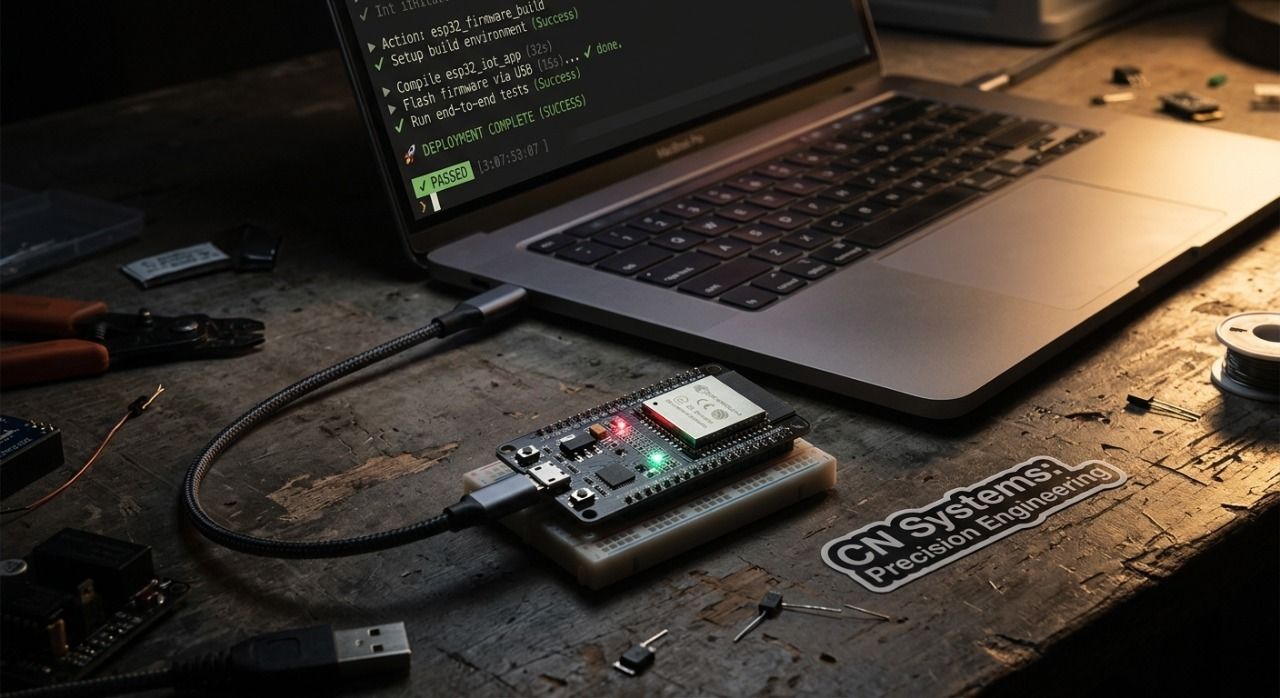
We Built a Device That Tells You Exactly Where Your Money Is Going Every Month
The AI boom has done a lot of things. Created jobs, disrupted industries, made ChatGPT a household name. But one thing nobody really talks about is what it's doing to the power grid. Data centers are eating energy at a rate that's putting serious strain on infrastructure - and that cost trickles down. Your electricity bill isn't getting cheaper. It's getting worse.
That's what kicked off Power Pulse. A group of us - one software developer (me), an electrical engineer, and a computer engineer - got together and asked a pretty simple question: why do most people have no idea how much energy their home is actually consuming until they get blindsided by a bill at the end of the month?
The answer, it turns out, is that the tools to answer that question either don't exist in an accessible form, cost a subscription, or are so technical that nobody without an EE degree wants to touch them. So we built our own.
The Problem Nobody Talks About at the Dinner Table
Here's a stat that should bother you: the average air conditioner runs about 300 kWh a month. That's $40 right there - just one appliance. Your refrigerator? Another $20 a month, running constantly whether you're home or not. That washing machine you run twice a week? $4. Television? $5. Dishwasher? Another $5.
None of these numbers are shocking on their own. But add them together across every device in a household - including the ones passively sipping power in standby mode - and you're looking at a number that most homeowners have zero visibility into until the bill lands.
The core issue isn't that energy is expensive. It's that people are flying blind. Most homeowners only understand their energy usage in the most abstract way possible: a dollar amount on a bill once a month, with no context, no breakdown, and no real way to act on it. You can't optimize what you can't measure.
That's the problem Power Pulse was built to solve.
What Power Pulse Actually Does
Power Pulse is a home energy monitoring system that gives you real-time data on your energy consumption - voltage, current, power draw, and kilowatt-hours - displayed on a local LCD screen and synced to a mobile app via the cloud.
The hardware sits non-invasively on your electrical lines. No rewiring. No calling an electrician. You clip the current sensor onto a live or neutral wire, mount the voltage sensor, and the device starts pulling data. That's it.
Here's how the full pipeline works:
Energy sensing - Non-invasive CT sensors and a voltage sensor module measure real-time electrical data from your circuits without direct contact with live wiring.
- Data processing - An ESP32 microcontroller handles the raw sensor data, crunches it, and converts it into readable metrics like watts, amps, and kWh.
- Local display - Processed data hits an LCD screen in real time so you always have a local readout without needing your phone.
- Cloud transmission - The ESP32 connects to WiFi and ships data to AWS via MQTT, where it gets written to a database and made available through an API.
- Mobile app - A React Native app pulls that data from AWS and displays it on a digitized meter gauge alongside monthly trend charts so you can actually see patterns over time.
The whole thing was my first IoT project. Before this I had built hardware projects and worked as a software developer, but taking physical sensor data and turning it into a real-time JSON stream flowing into AWS — that was a genuinely new thing. Getting that first MQTT connection working and watching live data land in the cloud was one of those moments where everything clicks.
The Hardware Stack
The sensor combo we landed on is the same one that shows up in serious IoT energy monitoring builds - and for good reason. It works.
SCT-013 Current Transformer - A split-core clamp sensor that attaches to a live or neutral wire. No cutting, no splicing. It measures the magnetic field generated by current flow and converts that to a readable signal. Handles up to 100 amps, operates up to 70°C, and requires zero electrical modification to install.
ZMPT101B Voltage Sensor - A high-precision AC voltage sensor that measures up to 250V AC. It's got a built-in potentiometer for calibrating the ADC output and runs on 5-30V supply voltage. Paired with the SCT-013, these two sensors give you everything you need to calculate real power.
ESP32 Microcontroller - Dual-core processor, built-in WiFi and Bluetooth, more than enough memory to buffer sensor data between transmission windows. It's basically the Swiss Army knife of IoT hardware. Arduino-compatible, which means the development ecosystem is massive and well-documented.
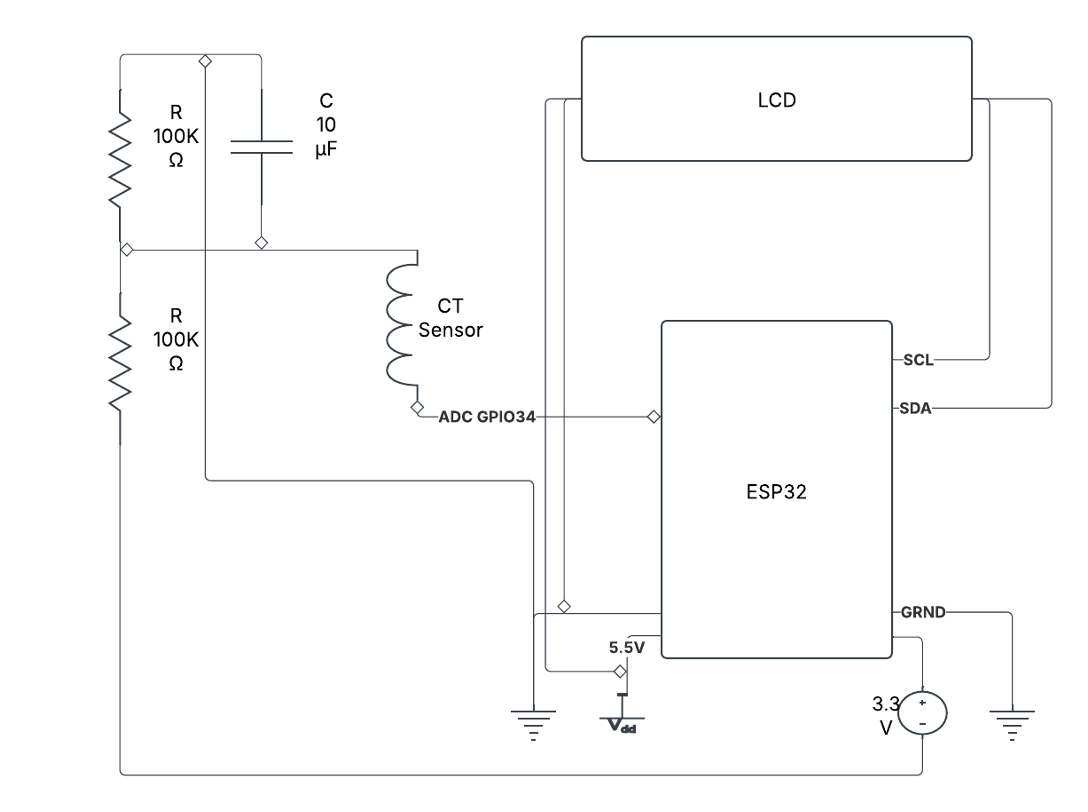
Together these three components handle sensing, processing, and connectivity. The rest of the circuit is passive components - resistors and capacitors for signal conditioning - and a clean PCB design to tie it all together.
Getting Data to the Cloud Was the Real Milestone
The hardware side was a known problem with known solutions. The interesting challenge was the cloud architecture.
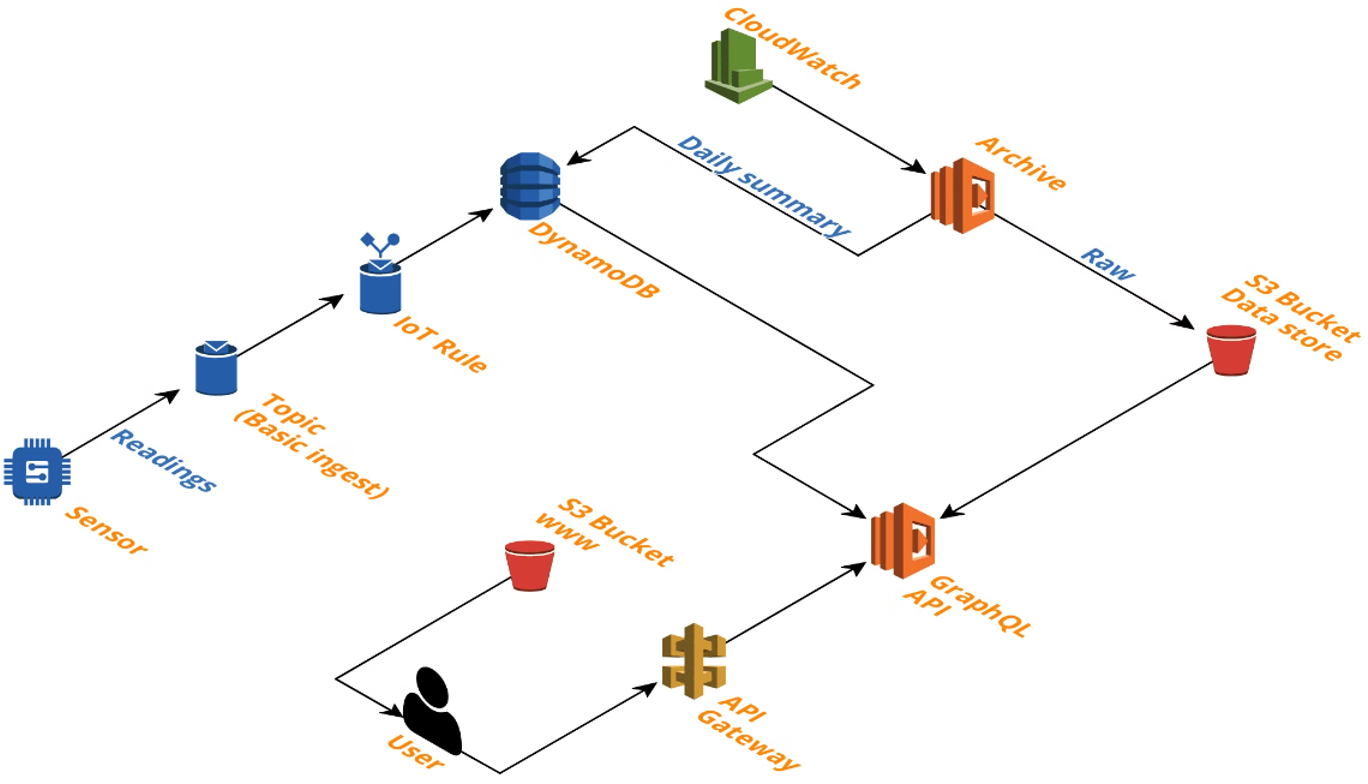
We went with AWS. Specifically: AWS IoT Core to receive MQTT data from the device, DynamoDB as the primary database, S3 for long-term data archival, and Lambda functions for automated nightly calculations and data offloading. The whole thing runs on AWS's free tier, which means operational cost is essentially zero.
The flow looks like this: the ESP32 publishes sensor readings to an MQTT topic on a timed interval. AWS IoT Core receives the message and triggers a Lambda function that writes the data to DynamoDB. Another Lambda runs nightly to aggregate daily stats and move older data to S3 to keep DynamoDB lean. An API layer sits on top of DynamoDB to serve data to the mobile app.
When that first JSON payload showed up in AWS - real voltage and current data from a physical sensor, transmitted wirelessly from a microcontroller I had just programmed - it genuinely felt like a milestone. It's one thing to build hardware. It's another thing to have that hardware talking to the cloud in real time.
The App
We built the mobile app in React Native because cross-platform compatibility wasn't a problem we wanted to deal with. One codebase, iOS and Android, done.
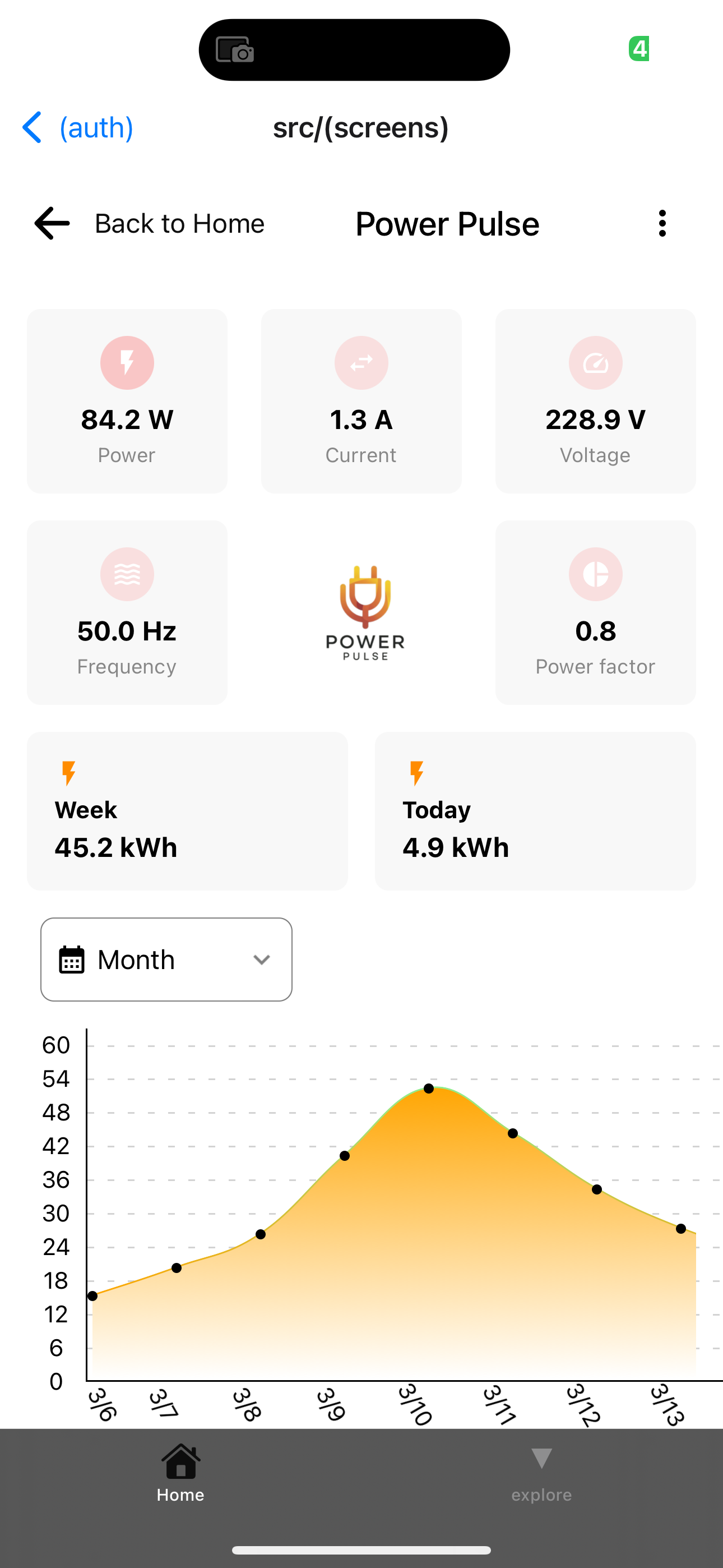
The app pulls energy data from the AWS API and renders it two ways. The primary view is a digitized traditional meter - the kind you'd see on an analog energy meter, but on your phone, updating in real time. The secondary view is a line chart showing consumption trends over the previous 30 days with a day/night breakdown.
The goal was to make energy data feel tangible, not abstract. A number on a spreadsheet doesn't make you feel anything. Watching a needle move in real time based on what's plugged in around your house - that gets your attention.
Why This Matters Beyond Just Saving Money
The obvious pitch is financial. Homes that can monitor energy in real time can identify waste, catch inefficient appliances, and make smarter decisions about when to run high-consumption devices. The math is real - reducing energy usage by 15-20% in an average household adds up to hundreds of dollars a year.
But there's a bigger picture too. The demand for energy is accelerating. AI infrastructure alone is projected to drive massive increases in global electricity consumption over the next decade. Renewable energy adoption is growing but uneven. Home energy management isn't just a personal finance tool anymore - it's part of how we close the gap between demand and sustainable supply.
Power Pulse sits at that intersection. Non-invasive hardware that anyone can install, connected to a cloud backend that actually stores and analyzes data, with a mobile app that makes it all usable for people with zero technical background. That's the product.
What's Next
The foundation is solid - circuit design finalized, ESP32 connecting to WiFi and transmitting to AWS, data rendering on the LCD and flowing through to the mobile app. The system works end to end.
The next layer is integration. We're exploring Azure alongside AWS for redundancy and additional analytics capabilities. The mobile app is getting expanded - more detailed breakdowns, appliance-level attribution, and cost projections based on local utility rates. The PCB design is being refined for a cleaner, more compact form factor.
The longer-term vision is modularity. The system is designed to support add-ons and updates without requiring hardware replacement. New sensors, new data streams, new integrations — the architecture supports it.
We built Power Pulse because the tools that should exist for home energy management either don't exist at the right price point or don't work for normal people. That's still true. So we're still building.
TL;DR:
- Power Pulse is a non-invasive home energy monitoring system built on ESP32, AWS, and React Native
- Real-time energy data (voltage, current, power, kWh) on a local LCD and a mobile app
- No electrical work required — CT sensor clamps onto existing wiring
- Cloud pipeline: MQTT → AWS IoT Core → DynamoDB → API → mobile app
- Built as a first IoT project by a team with backgrounds in software dev, electrical engineering, and computer engineering