Simple Tasks, Automation, and AI: Know What You're Actually Using
People throw these words around like they're the same thing. They're not. Here's how to tell them apart and why it matters for how you work.
Simple Automated Tasks
A simple automated task is a set of instructions that does one job the same exact way every single time. No decisions. No nuance. No surprises. You tell it to press the button, it presses the button. That's it.
The classic example? An alarm clock. 7am hits, it goes off. Doesn't matter if you're tired, if it's a holiday, if the world is ending. 7am. Alarm. Every time.
More examples: A Cron job that fires on a schedule. GitHub triggering the same deployment every time you push. A sports score counter updating whenever a goal is scored.
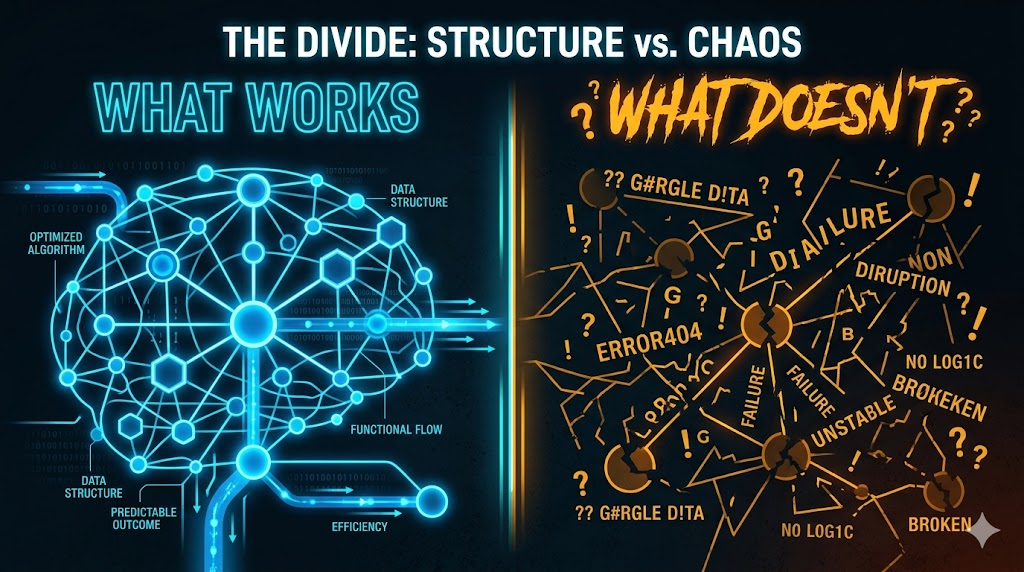
These are dirt cheap, lightning fast, and completely reliable within their lane. The catch? The moment something unexpected shows up, they don't adapt. They just break or do the wrong thing.
Automation
Automation is when you connect different apps and services so they talk to each other without you having to do anything. One action triggers another. That's the whole thing.
It's event-driven by nature. Something happens, something else happens in response. You set up the rules once, and then you're out of the loop.
Real world example: A lead fills out a form on your website. Their info automatically drops into a Google Sheet. A confirmation email hits their inbox. A meeting reminder lands in your calendar. None of that required you to move a finger.ZapierMakeN8NNo coding required
The thing to know is that automation still follows rigid rules. Feed it a situation it wasn't built for and it either freezes up or does something dumb. It's powerful, but it's not smart.
AI
This is where things get actually interesting. AI doesn't follow a strict script. It understands context. It handles messy, imperfect, ambiguous inputs. It makes decisions you didn't explicitly program. It generates new content from scratch.
Ask it "where's the closest pizza spot to me?" and it figures out your location, weighs the options, and gives you an answer. You didn't write a single line of code. You didn't tell it anything. It just handled it.
What falls under AI: Large Language Models (ChatGPT, Claude), computer vision, sentiment analysis, image and video generation, speech recognition. Anything that understands language and makes judgment calls.
The trade-off? Cost. AI is the most expensive of the three, especially at scale. Which is exactly why you shouldn't use it when a cheaper tool will do the job just fine.
| Feature | Simple Task | Automation | AI |
|---|---|---|---|
| Unique situations | No | No | Yes |
| Understanding language | No | No | Yes |
| Generates Content | No | No | Yes |
| Technical Barrier | medium | low | medium |
| Event Triggers | sometimes | yes | sometimes |
| Cost | Low | Low - Medium | Medium - High |
Using all three together
The real power move is layering them. Each one picks up where the last one left off.
Example workflow
- Automation detects a new form submission and sends it to AI
- AI reads the submission and categorizes it: sales, tech support, or general inquiry
- Automation fires the right email response based on whatever category AI assigned
No code. No babysitting. The first layer ingests, the second layer thinks, the third layer acts. That's a real system doing real work while you do something else.
The takeaway isn't "use AI for everything." That's how you burn through budget fast. It's knowing which tool fits which job. Use simple tasks for repetitive stuff that never changes. Use automation to connect apps and react to events. Use AI when you need actual judgment or original output.
Learn how they work individually and combining them stops being overwhelming. It becomes obvious.
Part 2 · Types of AI
Not all AI is built the same — here's what's actually out there
Knowing the difference between "automation" and "AI" is a good start. But AI itself isn't one thing. There are different types, built for completely different jobs. Using the wrong one is like bringing a calculator to a spelling bee.
Large Language Models (LLMs)
LLMs are the ones everyone's losing their minds over right now. They're trained on absolutely obscene amounts of data — we're talking petabytes — and from all that training they learn to predict the next token, or word, in a sequence. Do that billions of times and you end up with a model that deeply understands language, context, and reasoning.
They can answer questions, write code, summarize documents, hold conversations, and catch sentiment. They're the most general-purpose AI tool the public has access to right now.
ChatGPTClaudeGeminiPerplexityOllamaReal world use cases: Writing blogs, papers, and emails. Generating and explaining code. Customer support chatbots. Summarizing long documents. Building Q&A systems and quizzes.
Computer vision
Computer vision is AI that analyzes and understands images and video. It can identify objects, people, text, and actions from visual input. This one's been quietly running in the background of your life for years.
DALL-EStable DiffusionGoogle Vision APIFace IDTesla AutopilotReal world use cases: Background removal in Canva, Photoshop, and Shopify. Medical imaging that can detect tumors. Manufacturing defect detection. Security cameras that flag suspicious behavior. And yes — Pokémon Go literally used its players to map the entire world for free. You thought you were catching Pokémon. You were doing unpaid cartography.
Recommendation systems
This is the one you've been living with the longest without realizing it. Recommendation systems analyze your behavior and preferences to surface content, products, or connections you're likely to engage with. They don't generate new stuff — they just filter what already exists and serve it to the right person.
Real world use cases: Amazon's "you might also like." Netflix and Spotify suggestions. TikTok's algorithm. Every social media feed designed to keep you scrolling longer than you intended.
Speech and audio AI
Speech and audio AI converts spoken language to text, text to spoken language, and can even identify who's speaking, what tone they're using, and what they actually mean. This is the category that makes voice assistants and meeting transcription possible.
ElevenLabsWhisper AISiriAlexaOtter.aiGoogle AssistantReal world use cases: Meeting transcription and summaries. AI voiceovers for video and podcasts. Accessibility tools for hearing and visually impaired users. Netflix reportedly uses AI dubbing or subtitle generation for certain content.
Generative AI
Generative AI is the category that blew up in 2022 and hasn't slowed down since. It's exactly what it sounds like — AI that creates new content. Text, images, video, audio, code, 3D models. The whole thing.
TextArticles, code, email, scriptsChatGPT, Claude, GeminiImagesPhotos, illustrations, logosMidjourney, DALL-E, Stable DiffusionVideoShorts, reels, long-formSora, Runway, KlingAudioMusic, voiceovers, sound effectsElevenLabs, SunoCodeFunctions, full apps, scriptsGitHub Copilot, Cursor, Claude
Narrow AI vs. general AI (AGI)
These aren't types of AI like the ones above — they're categories that describe how wide a model's capabilities actually are.
Exists nowNarrow AIBuilt for one specific job. GPT-4 is exceptional at language but cannot drive a car. Tesla Autopilot can navigate a highway but cannot write you a poem. Every AI tool you're using right now is narrow AI.Still theoreticalAGI (Artificial General Intelligence)Hypothetical AI that can do any intellectual task a human can — thinking, reasoning, creating, understanding emotions, coaching, adapting to new domains on its own. Does not exist publicly. Whether it exists at all is still being debated.
The reason this distinction matters: it explains why ChatGPT can't generate an image as crisp as Midjourney, or why a language model isn't going to replace your surgeon. Each tool was built to be elite at one thing. That's not a flaw. That's the design.
Why any of this matters for you
The practical takeaways
- Match the AI type to the actual task — a hammer doesn't care about your nail situation
- Combine types for better results: use an LLM to write your Midjourney prompt, then feed it into the image generator
- Set realistic expectations so you stop being disappointed when one tool can't do another tool's job
- The categories are stable. The best tools within each category change week to week. Keep up or get left behind
AI is a toolkit, not a single thing. The people who treat it like one magic button are the same people who wonder why it keeps letting them down. Learn what each type does, know when to use it, and you'll get more out of all of them.