Every tech company right now is slapping "AI-powered" on their product like it's a cure-all. Your email client has AI. Your vacuum has AI. Probably your toaster has AI by the time you're reading this. But here's the thing nobody wants to say out loud: AI is genuinely incredible at some things and quietly terrible at others — and the companies selling it are not exactly rushing to tell you which is which.
So let's actually break it down. What's real, what's marketing smoke and mirrors, and how do you use this thing without getting burned.
What AI Is Actually Legitimately Good At
Writing and Transforming Text
This is where AI genuinely earns its hype. Anything involving language — AI is exceptional at it. We're talking:
- First drafts: Blog posts, emails, cover letters, ad copy, documentation. You give it a direction, it gives you something to work with.
- Summarization: Drop in a 50-page report and get back the bullet points that actually matter.
- Translation: High-quality, dialect-aware translation. I use it personally to practice Spanish and teach myself Mandarin. It slaps.
- Reformatting: Converting data to JSON, Markdown, structured lists — whatever format an API or tool expects, AI can handle the conversion.
- Explaining concepts: I've had AI break down coding concepts, marketing frameworks, and engineering principles in plain English better than most textbooks I've paid actual money for.
None of this is theoretical. People are shipping real work with these capabilities every day.
Writing and Debugging Code
AI coding tools are changing software development faster than most developers are comfortable admitting. Here's what's actually working:
- Autocomplete: GitHub Copilot suggests completions as you type. You hit accept if it's right, ignore it if it's wrong. It sounds simple, but research involving thousands of developers found it cuts task completion time by about 55% for many coding tasks.
- Code generation: "Write me a Python function that does X" actually works. It's not magic, but it's a very capable junior dev who types fast.
- Debugging: Copy-paste your error into an LLM. It reads the stack trace, explains what's wrong, and usually offers to fix it. Goodbye, three-hour Stack Overflow rabbit holes.
- Code reviews: It'll flag security issues and logic problems in your functions before you ship them.
- Documentation: Auto-generates JSDoc comments and inline documentation for existing functions. If you've ever inherited an undocumented codebase, you know how valuable this is.
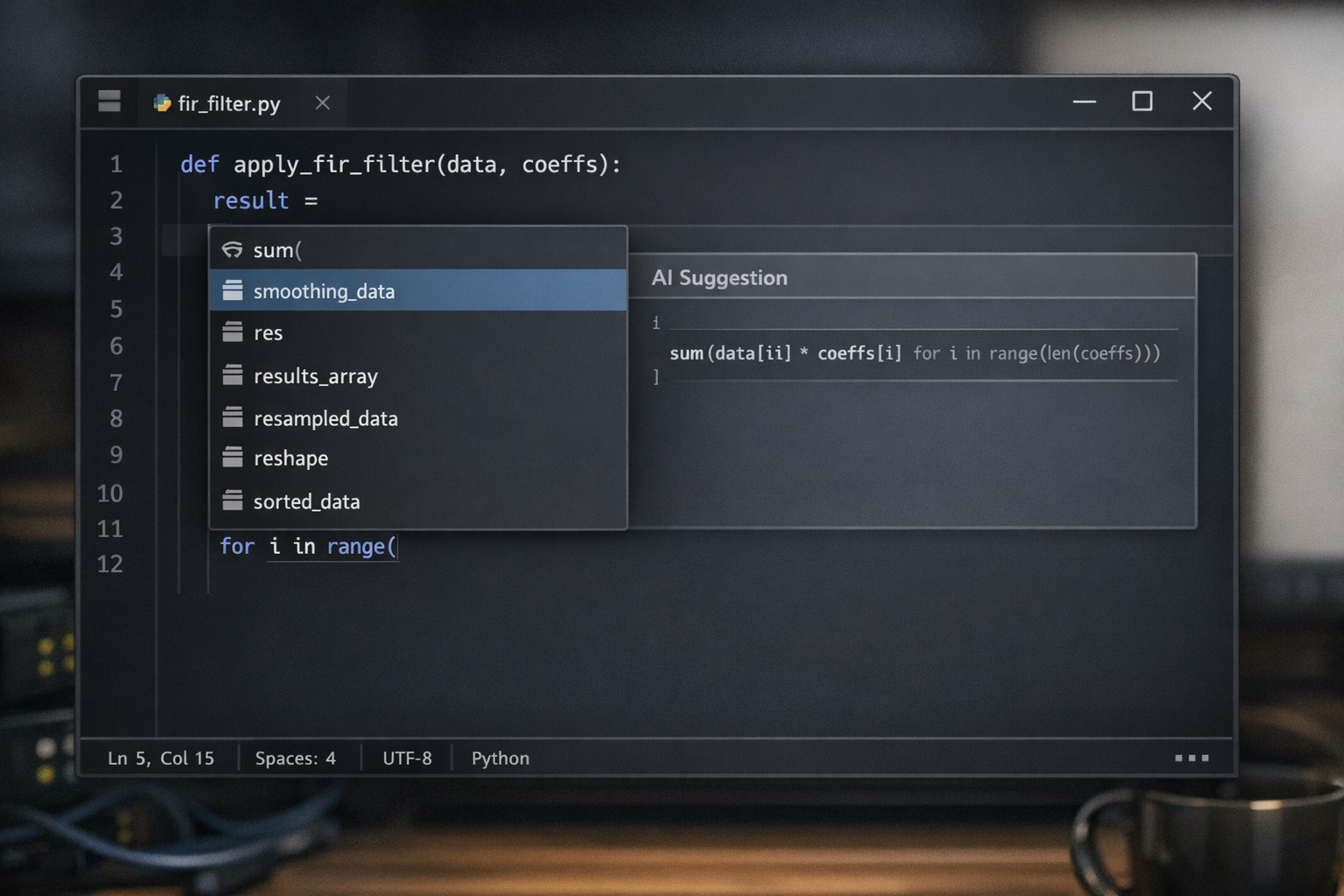
Image Generation
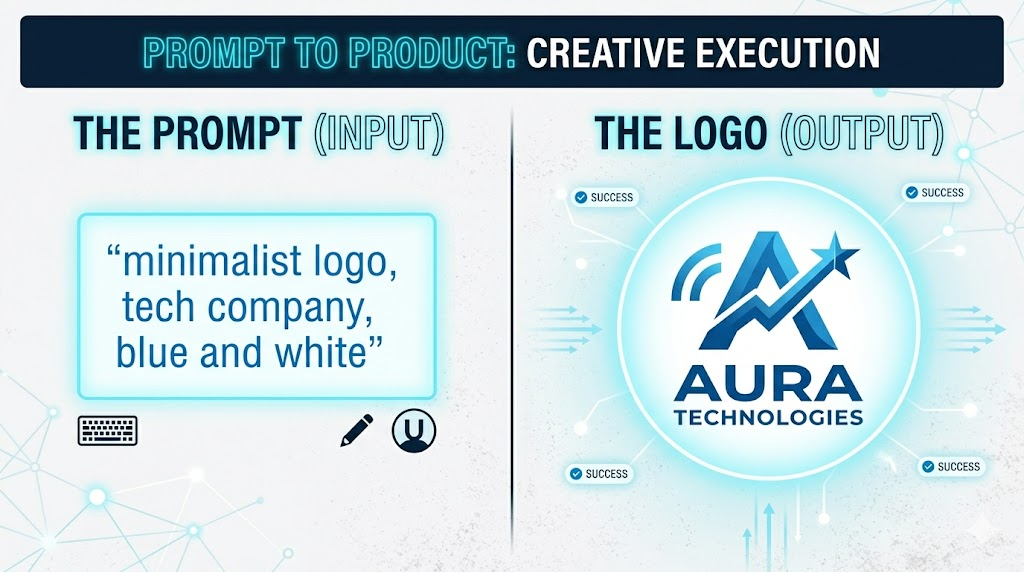
Text-to-image has given designers a superpower. The best tools — Midjourney, DALL-E, Stable Diffusion — produce premium-quality mockups, social media graphics, illustrations, and logos from a text prompt.
I used to go on freelancer sites and pay $20–$60 for a logo or graphic design work. Now I can generate professional-grade visuals for next to nothing. For clients who need quick concepts, brand assets, or social thumbnails, this is a genuine game changer. Not a replacement for a great creative director with vision — but an absolutely devastating productivity tool for anyone who needs visual output at speed.
Also worth noting: AI-powered background removal and photo editing with natural language is now built into most major tools. You no longer have to fight with Photoshop's lasso tool for 45 minutes. Adobe itself has added AI. The editing workflow is just different now.
Data Analysis and Pattern Recognition
This is where AI gets genuinely wild, and most people outside of data science haven't caught on yet.
- Fraud detection: Financial institutions are using AI to flag suspicious transactions in real time, at a scale no human team could match.
- Medical imaging: AI is spotting tumors and anomalies in scans at radiologist-level accuracy. That's not marketing — that's published research.
- Customer churn prediction: AI can identify customers likely to leave before they actually do, giving you time to intervene.
- Sentiment analysis: Feed it 1,000 customer reviews and it tells you in seconds what people love, hate, and complain about most. I've used this to moderate chats and automatically filter out content matching certain topics — genuinely useful for anyone managing a community.
Automating Repetitive Cognitive Work
This is the one people should pay the most attention to, because it's also where the job displacement conversation gets real.
Tasks that used to require a human to do — not because they were complex, but because someone had to sit there and do them — are now automatable:
- Categorizing and routing support tickets to the right team
- Extracting structured data from invoices, contracts, and emails
- Generating reports from raw data
- Personalizing outbound emails at scale
If you're doing any of these things manually and haven't looked into automating them yet, that's worth putting on your calendar.
Where AI Is Still Low-key Lying to You
Now here's the part the marketing decks skip.
Hallucinations: The Confident Wrong Answer Problem
LLMs have a hallucination problem. They will tell you something completely fabricated with the confidence of a tenured professor. I've had it happen with Copilot, ChatGPT, and basically every major model at some point — they'll state something as fact, you'll push back, they'll argue, and then three prompts later they'll quietly admit you were right all along.
The stats on this are wild. A 2024 Stanford study found that when asked about legal precedents, LLMs collectively invented over 120 non-existent court cases — complete with realistic names, dates, and fabricated legal reasoning. On questions about a court's core ruling, models hallucinate at least 75% of the time.
I've personally had AI write papers, asked it to include sources, and then clicked those sources to find the links go nowhere. The URLs just... don't exist. The papers were invented.
The rule: Never use AI as your source of truth. Verify anything that matters before you ship, publish, or stake a decision on it.
Long-Term Memory and Consistency
Most AI models don't remember previous conversations. Each session is a clean slate. Whatever you built together yesterday — context, tone, preferences, project details — gone.
They can also lose coherence across very long chats. The longer the conversation, the more drift you'll notice in the outputs. The fix is to be generous with context in every prompt. If the tool has a memory feature, turn it on. For anything technical with persistent state, look into vector databases.
Complex Multi-Step Reasoning
The bigger and more interdependent a task, the more likely AI is to make mistakes. Chain together a lot of logic steps and it starts losing the thread.
The workaround is to break complex projects into smaller, focused tasks. Instead of asking it to build the whole system, ask it to build one piece. Then the next piece. Vibe-checking the output at each step is part of the workflow now.
Real-Time Information
Most LLMs have a knowledge cutoff. They were trained on data up to a certain date and genuinely do not know what happened after that. For anything time-sensitive — market trends, recent news, current pricing — you need a model with web browsing enabled. ChatGPT, Perplexity, and Claude all have this now. Turn it on when it matters.
It's the World's Most Enthusiastic Yes-Man
This one might be the sneakiest problem of all. Out of the box, AI will hype up any idea you give it. Terrible business plan? "Great concept, here's how to execute it!" Oversaturated market? "There's definitely room for one more!"
I found this out firsthand. I was researching a potential Etsy business and relied on ChatGPT for market research. It gave me confident projections and a solid-sounding plan. What it didn't tell me — because it was working with stale data and no real incentive to be discouraging — was that the category I was targeting was completely oversaturated. I followed the plan. The results were nothing like what it projected.
It's still a great tool. But you have to specifically ask it to steelman the counter-argument, play devil's advocate, or tell you what could go wrong. Otherwise it'll just be your hype man.
The Right Mental Model for Using AI
Think of AI as a very fast, very well-read junior employee. They can execute quickly, they've absorbed enormous amounts of information, and they'll make mistakes — confidently. Your job is to be the senior. Give clear instructions, give context, verify the output before it goes anywhere important.
| Task Type | Use AI For | Watch Out For |
|---|---|---|
| Writing & Editing | First Drafts, Reformatting, Summarizing | Tone drift, Generic Phrasing, em dashes |
| Coding | Boilerplate, Debugging, Documentation | Logic Errors, Security Gaps in generated code |
| Research | Background context, Concept Explantion | Hallucinated Sources and Outdated Info |
| Creative (images, copy) | Ideation, Rapid Iteration, Mockups | Copyright gray areas, Generic Outputs |
| Data Analysis | Pattern Spotting, Categorization, Summaries | Errors in Complex Multi-step Analysis |
The Bottom Line
AI is transformative. Full stop. It is also being overhyped by companies with a financial interest in making it sound more capable than it is. Both of these things are true at the same time.
The people winning with AI right now are the ones who know exactly which tasks to hand off and which tasks still need a human in the loop. Use it as a powerful drafter, a tireless formatter, a pattern-finding machine, and an automation engine. Don't use it as an oracle. Don't skip the review step. And definitely don't let it talk you into a T-shirt business on Etsy without double-checking the data yourself.
The tool is real. The hype is partially not. Know the difference and you're ahead of most people.